A dry run is a preview mode that shows what a tool would do without doing it. According to DEV Community, too many previews print a few lines, someone glances at them, and everyone assumes the real run will match. For anyone doing LinkedIn automation, the lesson is direct: before a campaign starts, you should know which account sends, who receives, and what the first message says.
What the DEV Community post actually says#
The author is writing for developers, but the point travels well. A dry run can be "technically successful" and still build no confidence. The real run may then use a different account, environment or input than the one you expected.
The author's fix is to treat a dry run as a small contract between the tool and the person running it. The preview should describe the scope, the actions planned, the checks that actually ran, and the things it did not verify.
The post suggests five questions a preview should answer:
- What is the target? The environment, account or resource set.
- What would change? The actions, in plain terms.
- What was checked? Only validation that really ran.
- What was skipped? Anything simulated or not contacted.
- What identifies this run? An ID you can use later.
The author also warns that a preview can hide problems. It may say 12 actions are planned while two settings were missing or the target was guessed.
Why this matters for LinkedIn outreach#
Outreach has the same gap. You press start, glance at a summary, and trust it. If the wrong account sends, or the wrong list is used, you find out when people reply, or when LinkedIn restricts the account.
A message sent cannot be unsent. That is why the check belongs before the run, not after.
This is our view, not the source's: in outreach, restraint is cheaper than a restricted account. A slow minute of checking costs far less than weeks of rebuilding trust on a limited profile.
The three questions to answer in under a minute#
We would shrink the five-question contract to three that fit outreach. If you cannot answer all three quickly, do not start.
- Which account sends? Name the exact profile. If you manage several, confirm it is the right one. Our guide on managing ten LinkedIn accounts from one dashboard covers keeping them apart.
- Which people receive it? Look at the actual list, not just a count. Check a handful of profiles against your ideal customer description.
- What does the first message say? Read a real example written for a real person, not the template. Does it sound like you, and does it fit that person?
The source's fourth question, what was skipped, matters too. If the preview did not check something, such as whether the account is warmed up, you should know that.
What a trustworthy campaign preview shows#
Use the post's checklist as a standard for any outreach tool, including ours. A preview you can trust:
- Shows the sending account near the top.
- Lists the real recipients, not just a total.
- Shows the actual first message for a few of them.
- Says clearly what has not been checked.
- Gives the run an identity so you can compare what was planned with what happened.
The last point echoes the source's advice that the apply step should not quietly work out a different target than the preview showed. If the preview said one account and the run used another, that should stop the job.
Message review matters most. If every note reads like a mail-merge, the preview will show it. We cover that in writing connection notes that do not feel automated.
What to do this week#
You do not need new software to start. You need a habit.
- Write the three questions on a sticky note next to your screen.
- Before your next campaign, answer them out loud. If it takes more than a minute, your setup is too opaque.
- Open five recipient profiles and read the first message drafted for each.
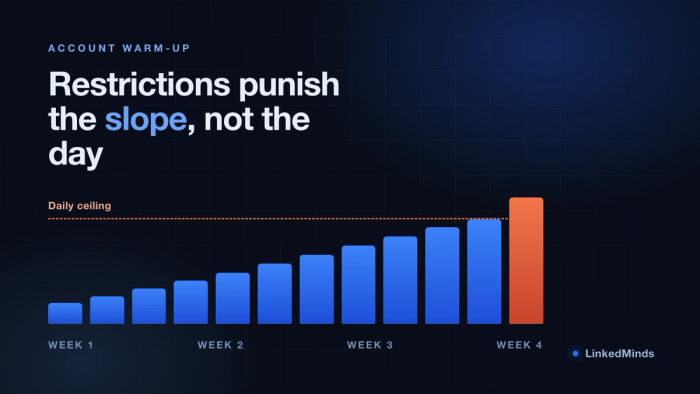
- Check the account's health and warm-up state. If it is new or has been idle, read how to warm up a LinkedIn account without getting restricted.
- Start small. Let the first batch run, then review what actually went out before sending more.
- Keep a note of each run: date, account, list, first message. It is your own simple receipt.
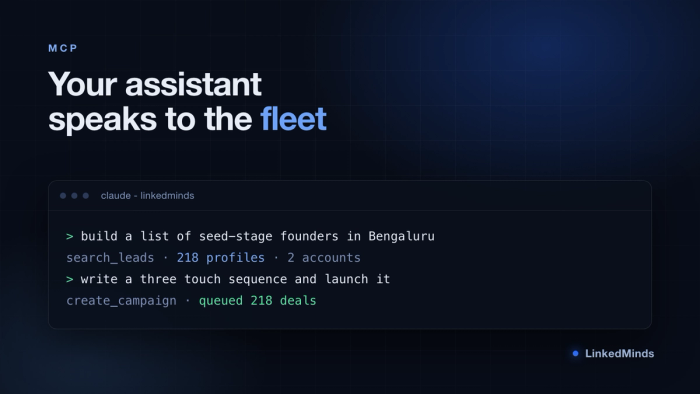
If you run outreach through Claude, the same rule applies. Ask for the plan first, and read it before you say go. Our walkthrough on running outreach from Claude shows how.
Where a preview stops#
The source makes an honest point: a preview shows what a tool inspected and planned, not that the outcome will succeed. A good preview is not a promise of results.
It will not tell you if a person replies, or how LinkedIn reacts. That is why pacing and risk checks still matter alongside it. See how we predict account risk for how we think about that.
Frequently asked questions#
Does every outreach campaign need a preview?#
If it sends messages from a real account, yes. Sending is the one step you cannot reverse, so a short review is worth it each time, even for small lists.
What if I manage more than one LinkedIn account?#
The risk of the wrong account sending goes up. Always confirm the account name first, before the list and the message.
Is a preview the same as a guarantee?#
No. It shows what the tool plans to do, not what will happen after. It reduces surprises, but it does not promise replies or protect you from poor targeting.
LinkedMinds is built around restraint: staged warm-up, randomised 2-10 minute human pacing between actions, and 6 layers in the account safety net. If you want to see it with your own campaign, start a 15 days free trial, no card to start.